

Picture this scenario: You’re at your favorite coffee shop or café, about to dive into serious work on your laptop. But wait, the Wi-Fi there is as unpredictable as the weather, and using public Wi-Fi can be risky and not always secure.
So what do you do?
If your phone has internet access, it’s a breeze to turn your Android into a Wi-Fi hot spot for your laptop or anyone else who needs a stable connection. Here’s how to get started:
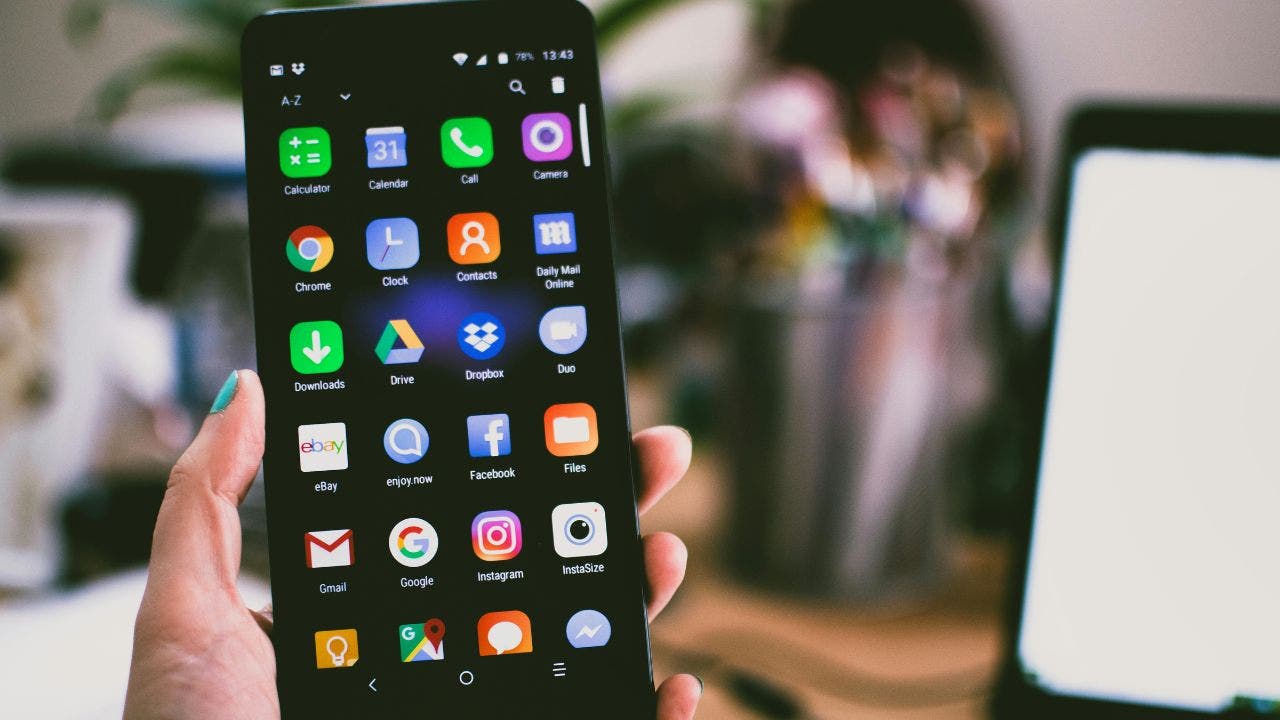
Android phone. (Kurt “CyberGuy” Knutsson)
How to turn your Android into a Wi-Fi hot spot
Settings may vary depending on your Android phone’s manufacturer.
- Navigate to your phone’s Settings
- Tap Connections
- Then tap Mobile Hot spot and Tethering
- Toggle ON the switch next to Mobile Hot Spot
AVOID PUBLIC WI-FI BY USING YOUR IPHONE AS A HOT SPOT
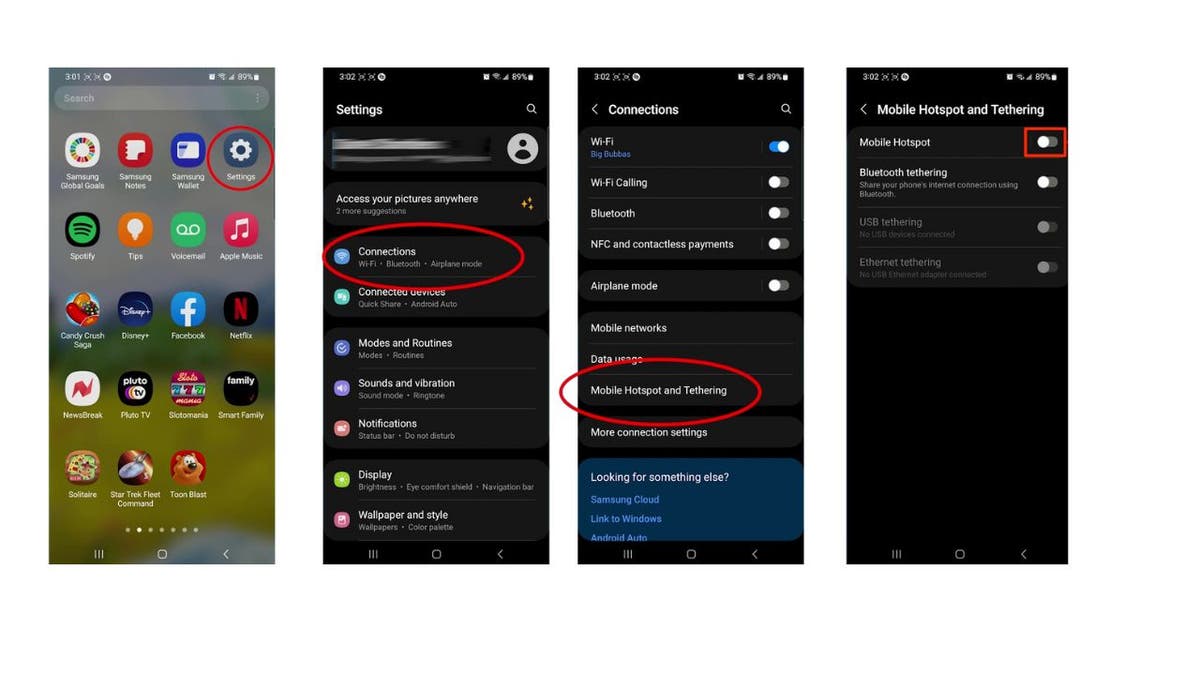
Steps to turn your Android into a Wi-Fi hot spot. (Kurt “CyberGuy” Knutsson)
MORE: TOP ANDROID PHONES OF 2024
- Then, If you’re connected to Wi-Fi, go ahead and tap Turn off
- Tap Mobile Hot Spot again
- Tap Configure or something similar that allows you to customize your Network name and Password. This way, you won’t have to worry about strangers accessing your Wi-Fi
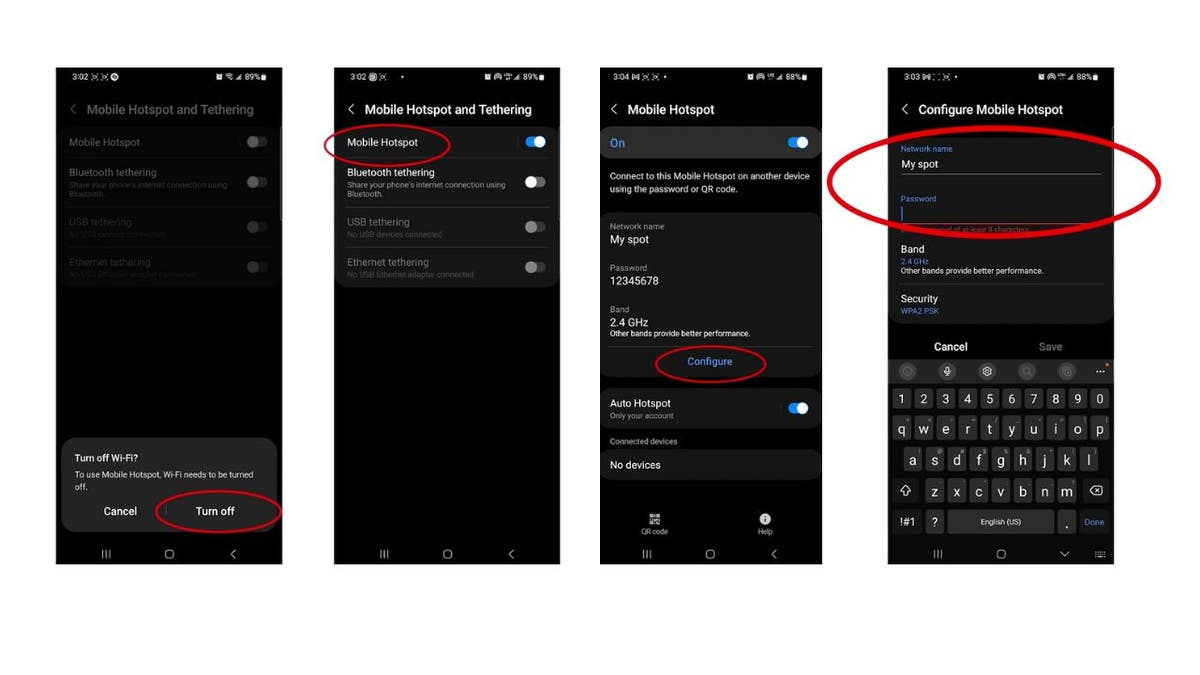
Steps to turn your Android into a Wi-Fi hot spot. (Kurt “CyberGuy” Knutsson)
MORE: BEST ACCESSORIES FOR YOUR PHONE
- Press Save when you’re done
- Tap on Configure again
- Then tap on Advanced
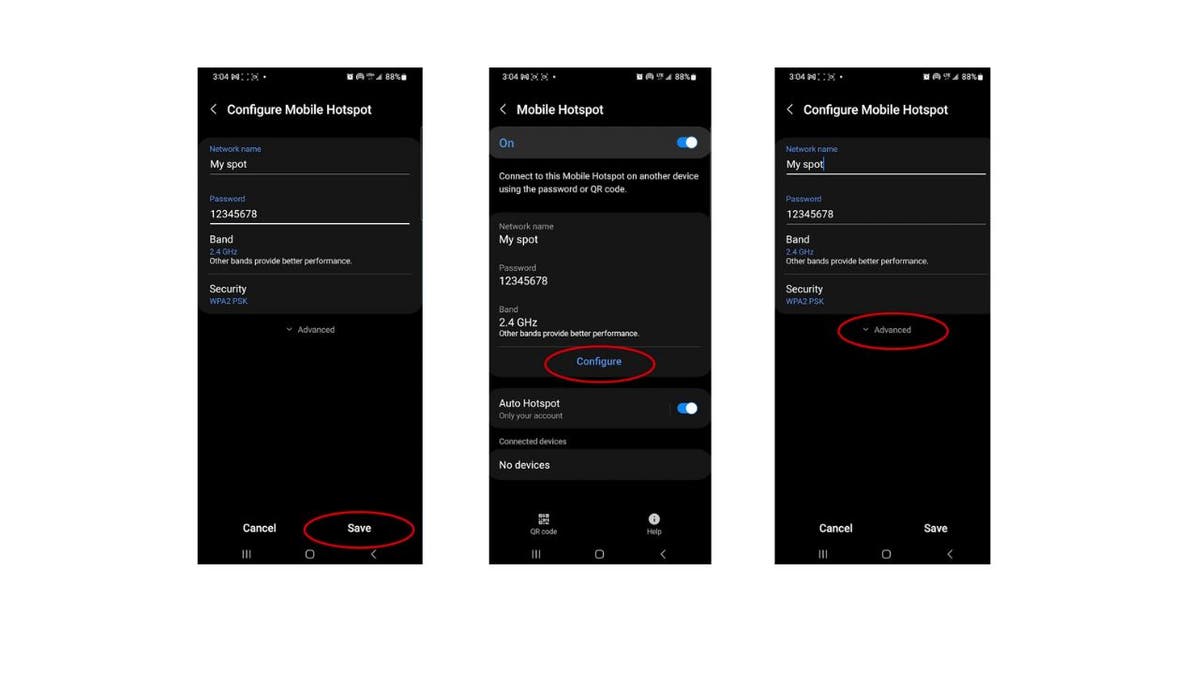
Steps to turn your Android into a Wi-Fi hot spot. ( Kurt “CyberGuy” Knutsson)
- Scroll down, select Wi-Fi sharing, and tap OK to begin sharing your hot spot with other people and devices
GET FOX BUSINESS ON THE GO BY CLICKING HERE
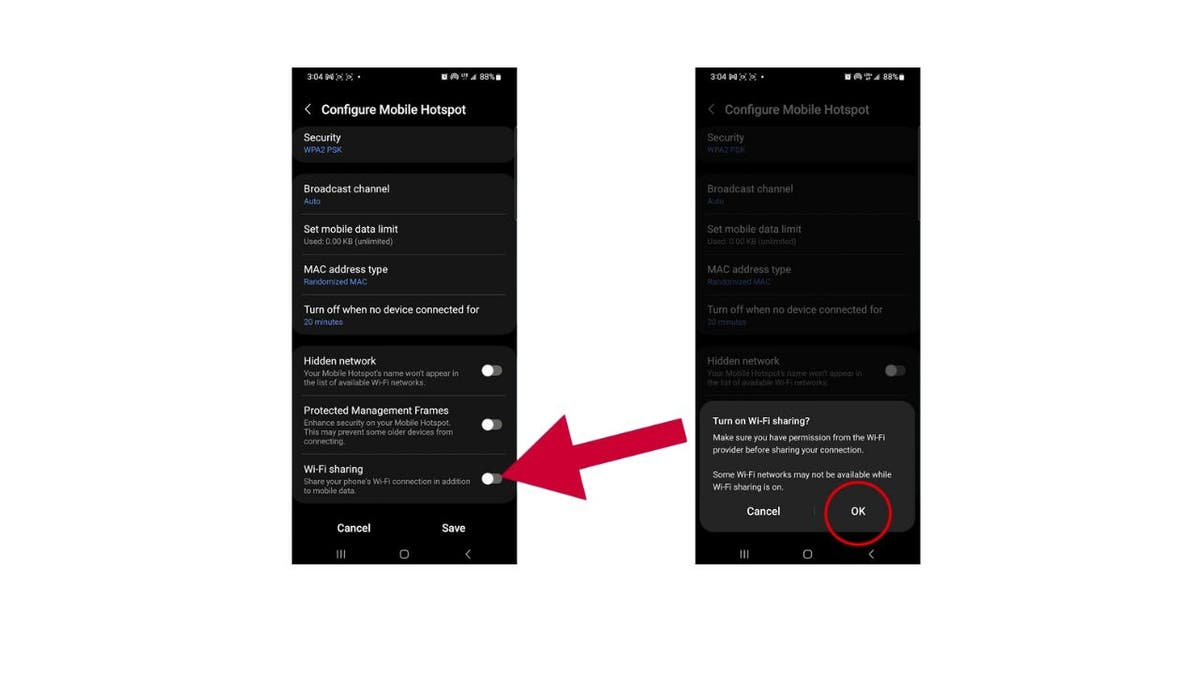
Steps to turn your Android into a Wi-Fi hot spot. (Kurt “CyberGuy” Knutsson)
This little trick can be a lifesaver. Say you’re at a hotel, and they charge an arm and a leg for Wi-Fi per device. With Wi-Fi sharing, you pay for one and spread the love to all your gadgets. Or, if you’re already on a Wi-Fi network, you can use Wi-Fi sharing to let others tap into both cellular and Wi-Fi options at once. However, it’s important to note that while these methods can help you share a Wi-Fi connection, they may not work in all situations. Some hotels or other locations may have systems in place to prevent such sharing.
MORE: CELLPHONE BOOSTERS VS HOT SPOTS: WHAT’S THE DIFFERENCE AND HOW DO YOU CHOOSE?
Kurt’s key takeaways
Turning your Android into a Wi-Fi hot spot is not just about staying connected; it’s about making the most of your devices and your time. Whether you’re dodging the Wi-Fi fees at a hotel, want to avoid public Wi-Fi or just helping a friend out at a cafe, this nifty feature is your ticket to a hassle-free, secure connection. So, the next time the Wi-Fi isn’t stable or secure, remember, your Android has your back.
CLICK HERE TO GET THE FOX NEWS APP
What situations would you most likely find using your Android as a hot spot useful? Let us know by writing us at Cyberguy.com/Contact
For more of my tech tips and security alerts, subscribe to my free CyberGuy Report Newsletter by heading to Cyberguy.com/Newsletter
Ask Kurt a question or let us know what stories you’d like us to cover.
Answers to the most-asked CyberGuy questions:
Copyright 2024 CyberGuy.com. All rights reserved.

